Reusable workflows, historical reruns + 2 more
Combine memories with details from raw records in the same chat
You can now ask chat questions using both memories and record extracts, combining synthesized insights with details from source records.
How to use:
- Start a chat and select Add data.
- Enable Record extracts to include relevant source content alongside memories.
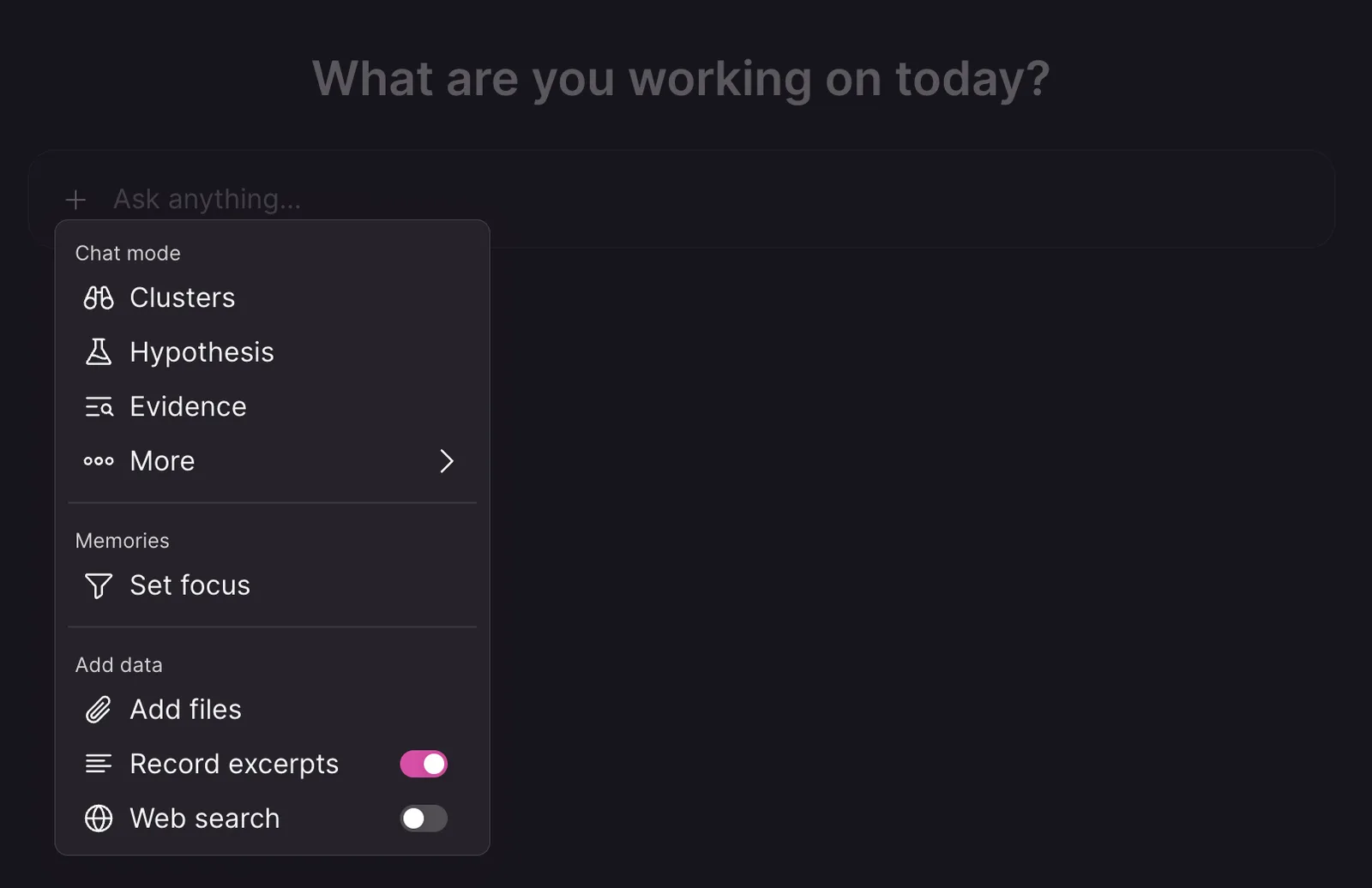
Learn more about chat data sources.
Rerun workflows with the same historical time context
Set a Run as of date and time when manually starting a workflow to reproduce backfills and missed scheduled runs with their historical time context. Relative dates—including “last week” and “yesterday”—then resolve from that chosen time across searches, chat context, variables, and output names.
How to use:
- Open the workflow
- Hover over the trigger step, and select from the right more menu "Execute for another time..."
- Set the Run as of date and time for the period the run should represent.
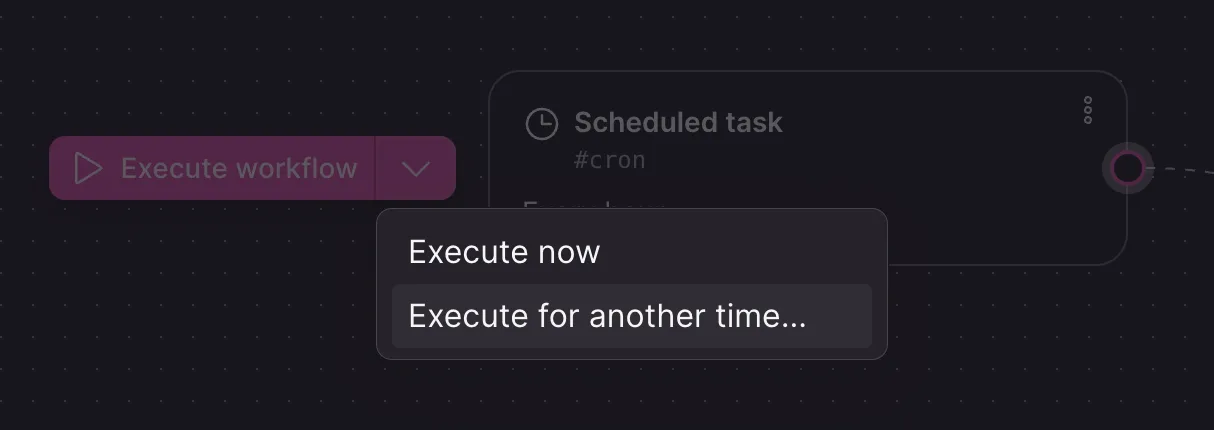
Learn more about workflows.
Build complex automations from reusable workflow building blocks
Reuse shared logic across automations with the new Run workflow step, which lets a parent workflow pass data to a child workflow and use its outputs in later steps. Call workflow and Return workflow steps support receiving inputs and returning results, so reusable workflow sections can stay self-contained.
How to use:
- Open the parent workflow
- Add a Run workflow step
- Open the child workflow and configure it to receive the data it needs with Call workflow
- Return the child workflow’s result with Return workflow, then use that output in subsequent parent workflow steps.
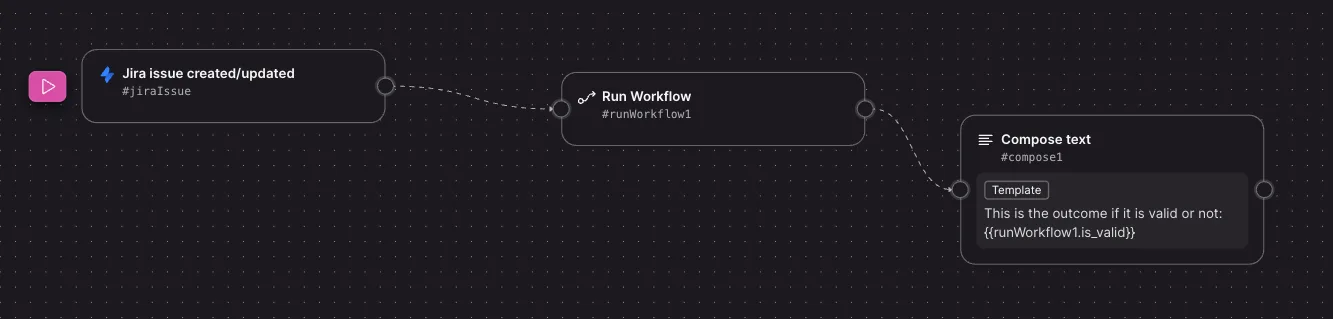
Learn more about workflows.
Create dynamic JSON payloads with workflow variables
Build dynamic webhook payloads and other structured workflow data using variables directly in JSON fields. The same variable-aware editing available in other workflow fields now lets you insert values from earlier steps without manually managing variable syntax.
How to use:
- Open a workflow step with a JSON field, such as a webhook payload.
- Insert workflow variables where values should be populated dynamically, while keeping the payload as valid JSON.
- Save the workflow to use the generated values when it runs.
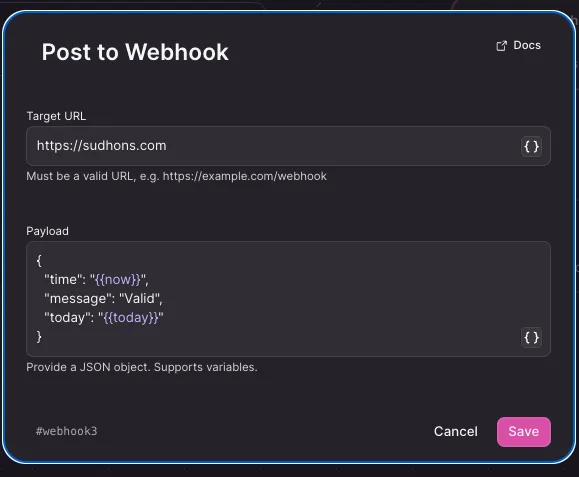
Learn more about workflows.