Clearer workflow data flow, grounded report chats + 1 more
Understand the data flow through each workflow step
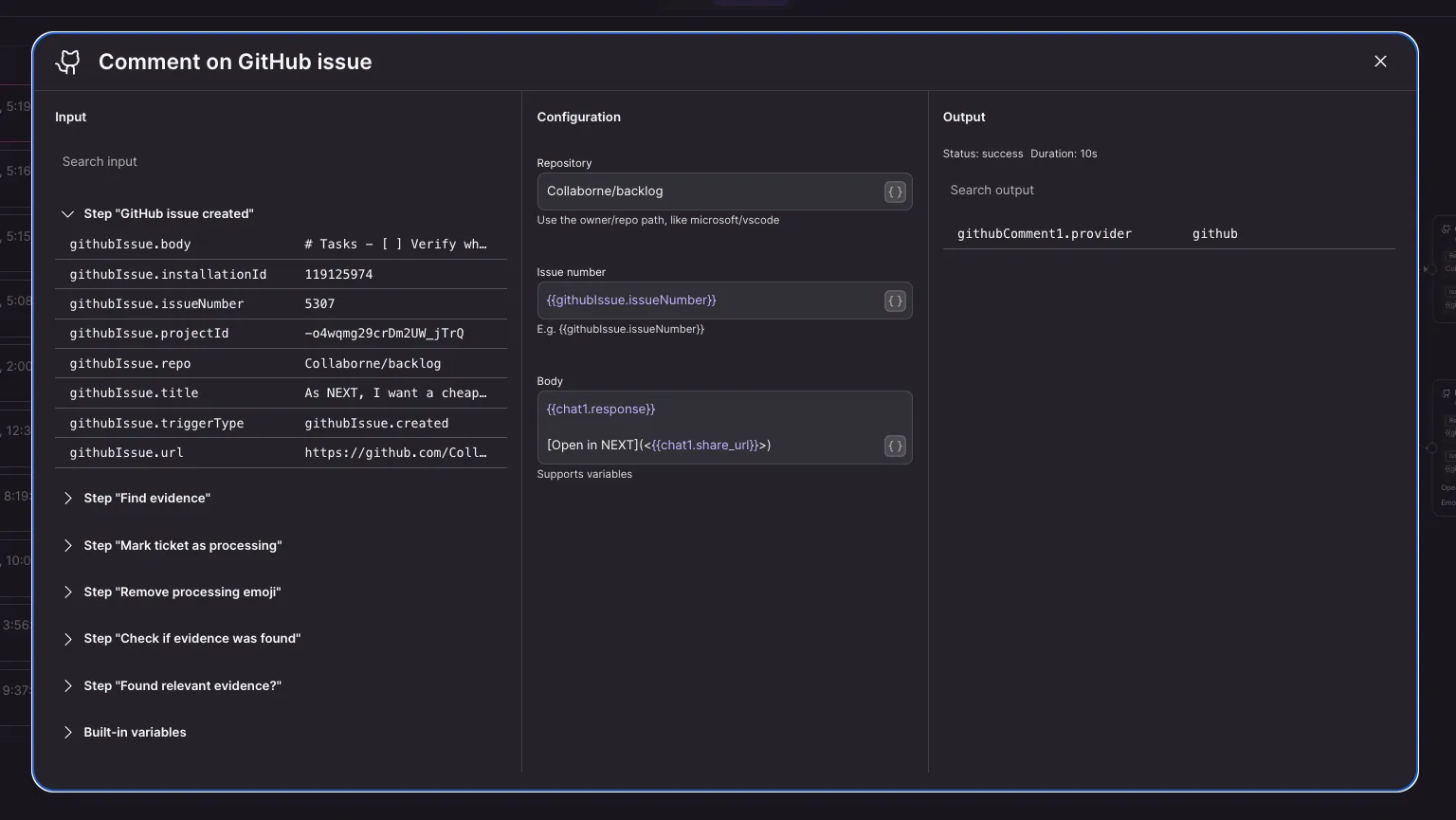
Workflow steps now separate Input, Configuration, and Output, so you can more easily see what a step receives, how it is set up, and what it produces. You can inspect the input while configuring the step, making it simpler to verify that each part of an automation has the data it needs.
How to use:
- Open a workflow
- Open a step
- Review the Input, Configuration, and Output sections while setting up or inspecting the step
Learn more about workflows.
Keep follow-up questions about reports grounded in their supporting evidence
When you start a chat from a report memory, NEXT can now use both the report memory and the memories that support it, helping follow-up answers to dive into the data of the original analysis. Workflows that create memories can provide their evidence up front through the new Evidence input, preserving the source context for later deep dives.
How to use:
- Open the sharing experience of memory with supporting evidence (e.g. a memory from a report)
- Start a follow-up chat
- NEXT includes the report and its evidence memories as chat sources
See the memory context that chat will use before you ask
The prompt box now reflects the memory sources actually selected for your chat. Focus appears inline when a Focus source is active, while All Memories is used as the default when you have not selected a specific memory source. Selecting clusters, memories, or records removes the implicit global scope, so the context shown matches the information NEXT will use.
How to use:
- Start a new chat
- NEXT shows All Memories in the prompt box