Explore consolidated memories, add counts to breakdown tables + 1 more
Explore and manage consolidated memories in one place 🎉
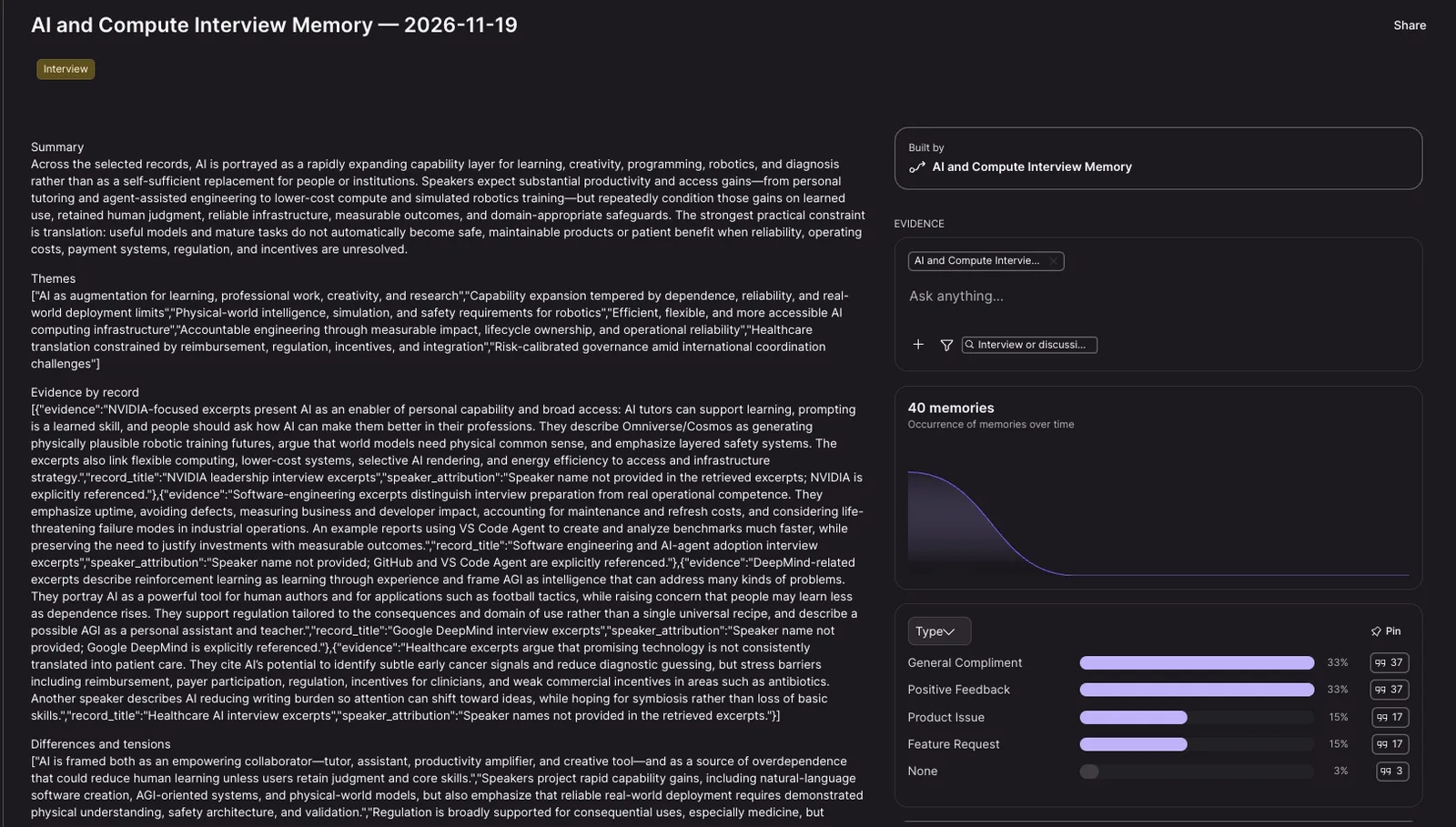
Consolidated memories now have a dedicated view in the main navigation, making it easier to find, organize, and explore insights without searching through raw memories.
How to use:
- Open the consolidated memories view from the main navigation.
- Filter the overview to find the insight you need.
- Open a memory to see its details and the workflow that generated it.
- Explore its supporting evidence through charts and ask follow-up questions directly in context.
See the numbers behind every workflow breakdown
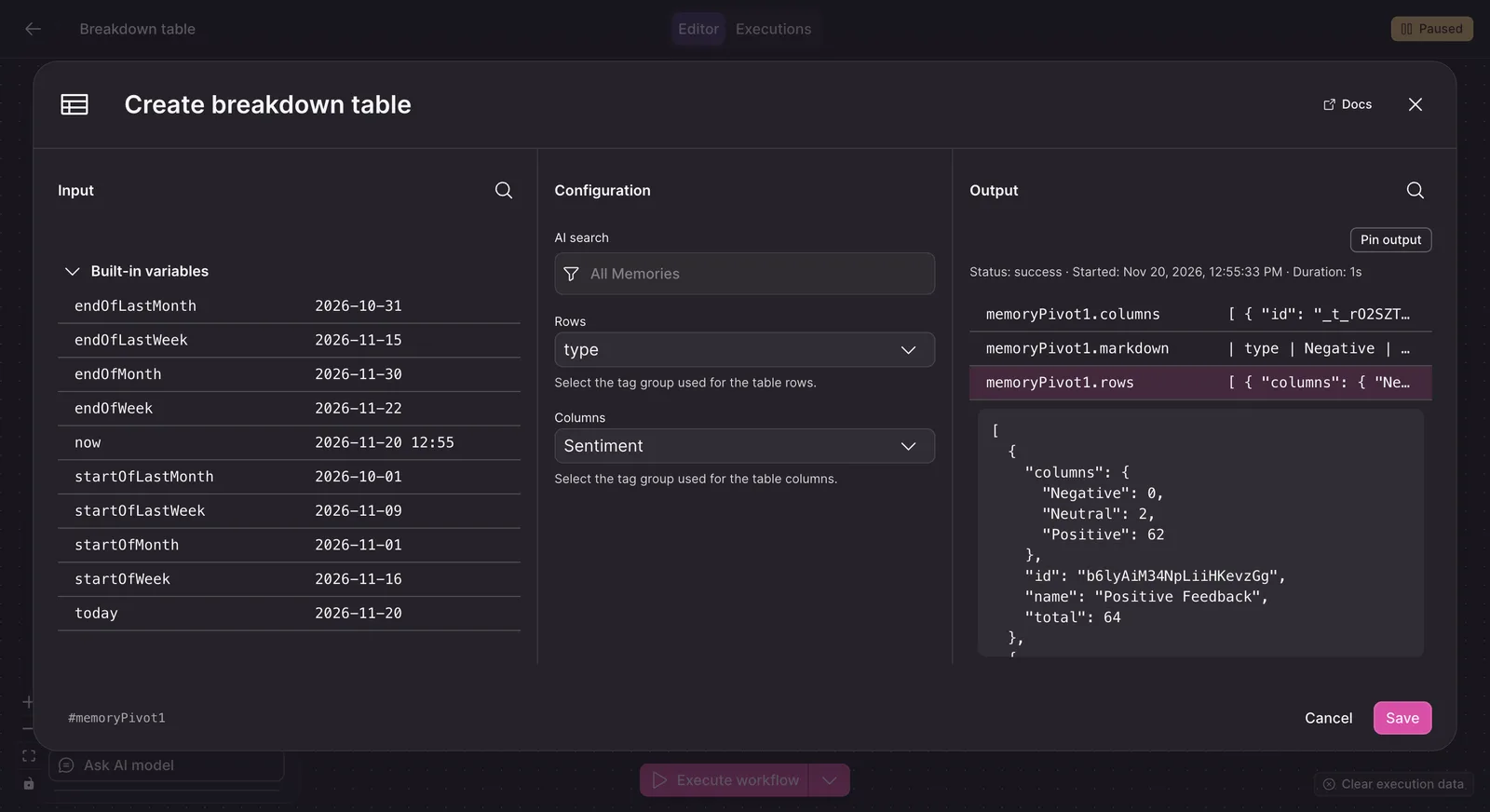
Breakdown table steps now show absolute counts alongside percentages, so you can assess the scale behind each result without adding separate counting steps. Each table cell includes both values, such as 32 (33.3%), and a Total row provides column sums. The step also returns structured JSON with counts and percentages for every row and column, ready for use in later workflow steps.
How to use:
- Add or open a Breakdown table step in your workflow.
- Configure the row and column tag groups you want to compare.
- Use the table output for reporting or the structured JSON output in downstream steps.
Learn more about workflows.
Make targeted workflow changes through MCP without replacing the whole workflow
You can now use patch-style workflow updates through MCP to change only the parts of a workflow that need updating. Update step parameters, add or remove steps, modify connections, or adjust workflow metadata while preserving untouched values by default. Multiple changes are applied together, helping prevent accidental overwrites when working with complex workflows.
How to use:
- Send targeted update operations through MCP instead of resubmitting the full workflow definition.
- Specify the workflow elements you want to change, such as step parameters, connections, nodes, or metadata.
Learn more about MCP.