Quarterly workflow schedules, secure report sharing + 2 more
Schedule quarterly reports without manual reminders
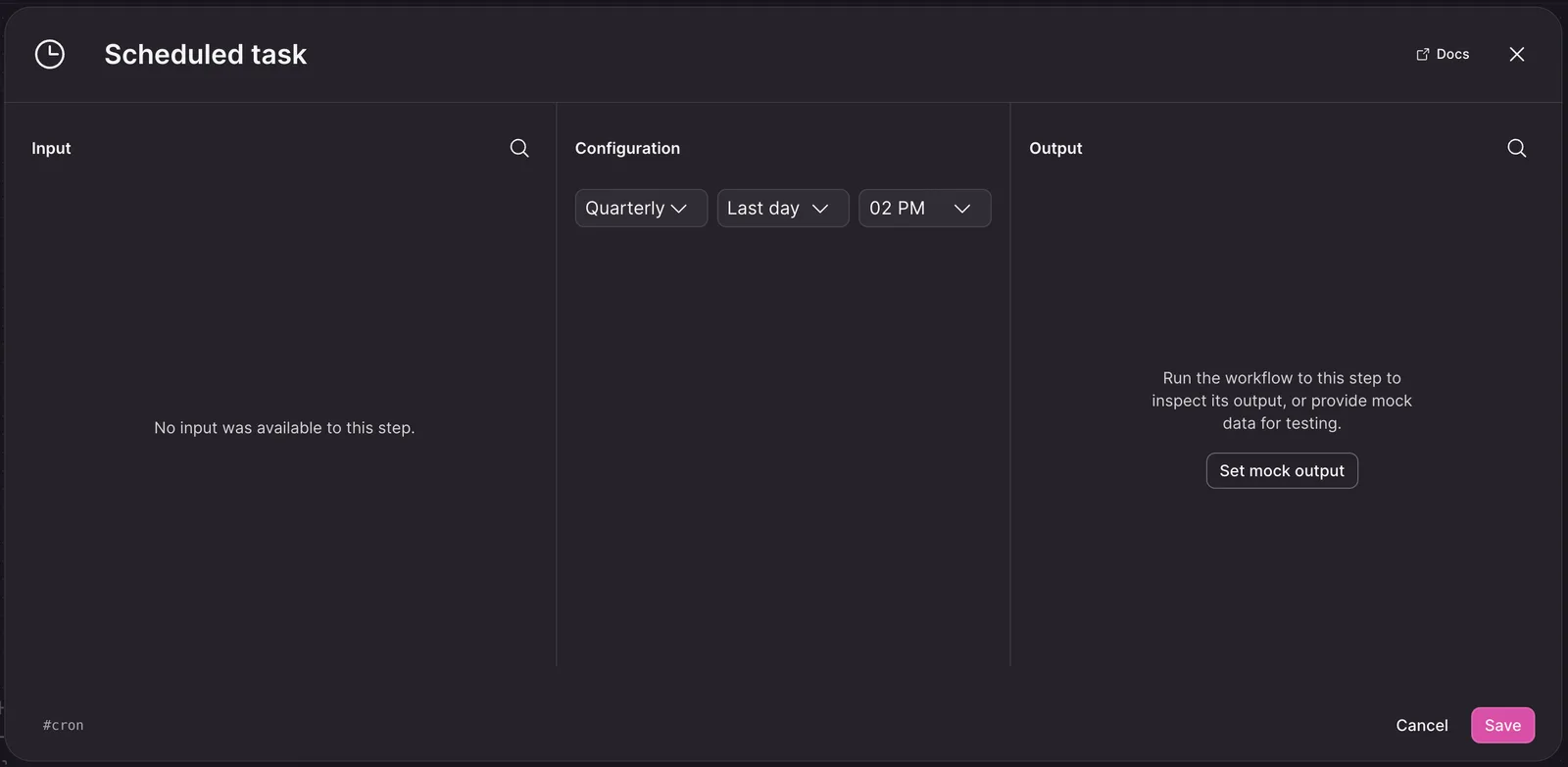
You can now schedule workflows to run quarterly, helping recurring reports arrive on time without creating separate schedules or remembering each reporting date. Choose Quarterly in a scheduled trigger to run on either the first or last day of each calendar quarter.
How to use:
- Open a workflow’s scheduled trigger.
- Select Quarterly as the schedule frequency.
- Choose whether the workflow runs on the first or last day of the quarter, then save the trigger.
Learn more about workflows.
Share HTML reports with the access level your audience needs
HTML reports now follow your teamspace’s access and sharing settings, so you can share insights with the right people while keeping report access consistent with the rest of NEXT. Reports can be limited to teamspace members, shared across your organization, protected with a password, or made public; existing report links continue to work with the updated access rules.
How to use:
- Configure the access level you want for your HTML report.
- Share the report link with the intended audience.
Learn more about teamspace access.
Translate raw records without leaving the record detail page
You can now translate records directly where you review the original evidence, making it easier to understand multilingual comments and capture accurate quotes. Translations preserve formatting such as tables, lists, and quotes, including comments imported as plain text.
How to use:
- Open the record you want to review.
- Open the options menu.
- Select Translate below Copy text.
Learn more about records.
Keep personal information out of newly created memories by default
Imported records are now automatically checked for personally identifiable information before NEXT extracts memories from them. This removes details such as names and phone numbers from records that have not already been sanitized, helping keep the memories created from those records cleaner without requiring an extra step.
How to use:
- Open Settings > General > Security & Privacy
- In section "Personal identifiable information (PII)" enable "Redact PII during transcription & memory import"
Learn more about teamspace security.