Structured reports, record-triggered extraction + 1 more
Build reports that follow the structure you define
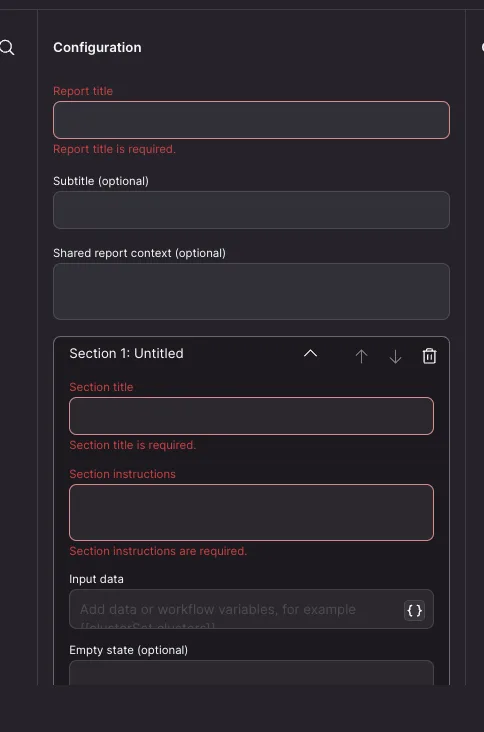
You can now configure ordered sections and visualization blocks in the Create Report step, so reports consistently include the content and layout you expect instead of adding, omitting, or rearranging sections. Choose blocks such as tables, quantified cards, comparisons, and timelines for each section, then define the content each block should present. Generated reports also use maintained NEXT components for more consistent interactive elements and greater control over the code they run; use Compose Text when you need fully custom HTML.
How to use:
- Add or open a Create Report step in a workflow.
- Enter the report title and any shared context.
- Add, configure, and reorder report sections.
- Choose the visualization blocks each section should contain, then save the step.
Learn more about workflows.
Build Extraction Agents with workflows
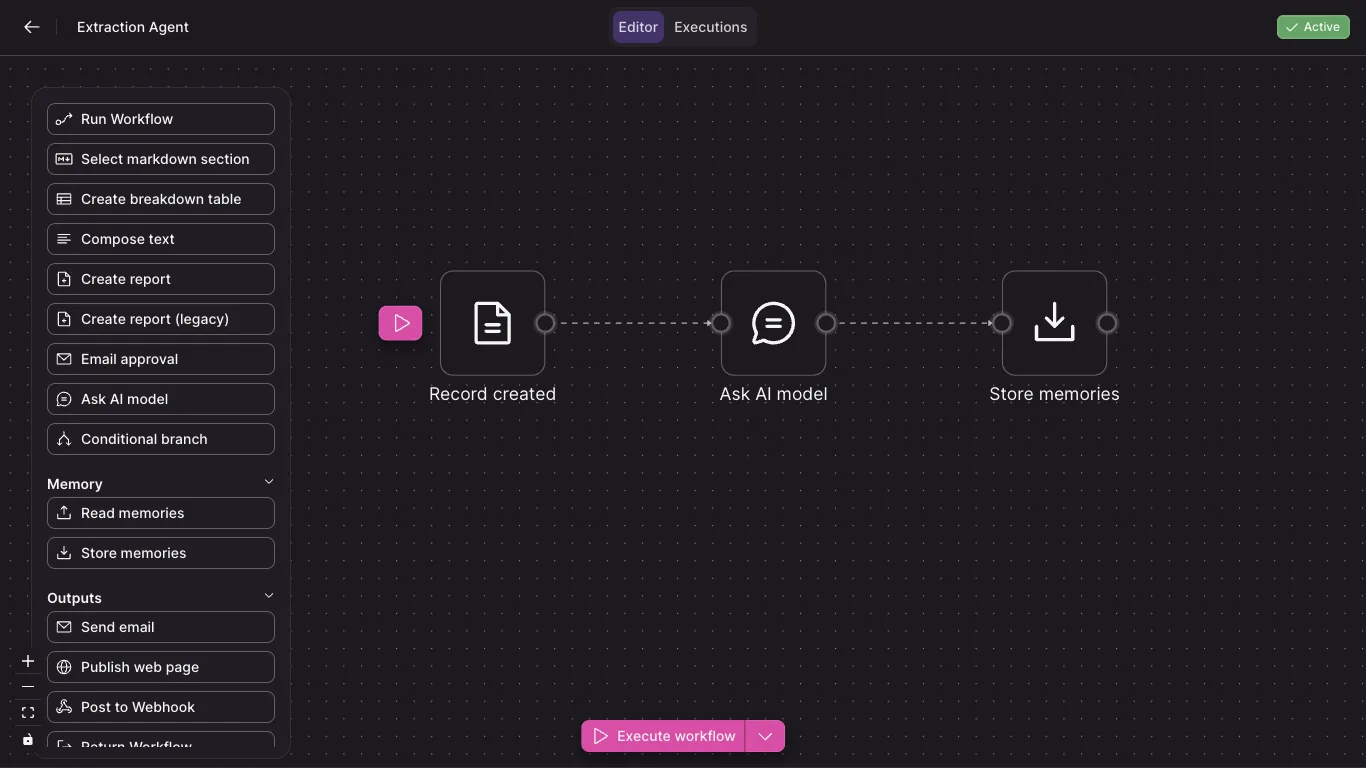
You can now start a workflow when an eligible record is created, helping you build tailored extraction processes for specialized or lower-volume record types. Use the Record created trigger to limit runs by required tags, metadata, or text matches, then use Store memories to create multiple memories from an array returned by an earlier step. Only records whose memories are explicitly marked for workflows by an Extraction Agent can trigger these workflows, and each matching record starts a separate execution.
How to use:
- Open Settings > Prepare with AI > Extract Memories
- Add rule pointing some records to Extraction Agent "workflow"
- Create a new workflow
- Add a Record created trigger to your workflow.
- Configure filters for the records the workflow should process.
- Add steps to extract the information you need.
- Add a Store memories step, select the array that contains the extracted items, and map its fields to memory properties.
Learn more about Extraction Agents.