Clear redirect cache of browser
Background
At times when connecting with NEXT AI support and customer care team, they may advise that you clear the redirect cache of the browser. This page explains how to clear the redirect cache in different browsers.
Google Chrome
-
Enter in the address bar chrome://net-internals
-
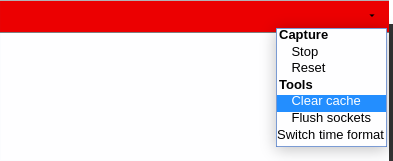
Click on the small arrow in the upper-right to open the drop-down
-
Select Tools > Clear Cache
Mozilla Firefox
-
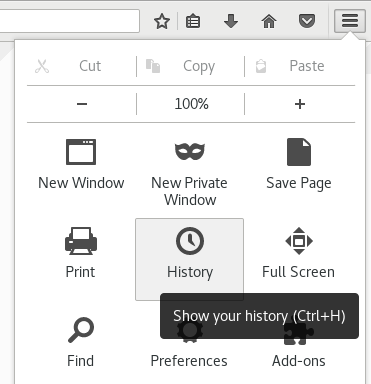
Click the menu icon in the upper-right corner
-
Click the History icon
-
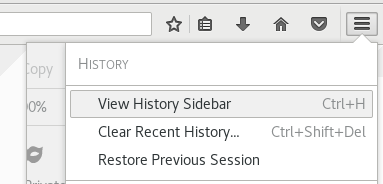
Click View History Sidebar
-
Search for "collaborne" (if those are lots of entries: you only need to consider the ones for which you were wrongly redirected)
-
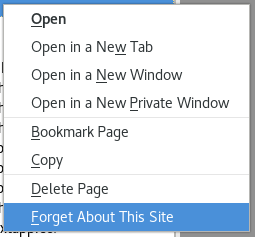
For each of these: right-click, and select 'forget about this site'
Other browsers
Use google and search for "BROWSER clear 301 redirect cache"